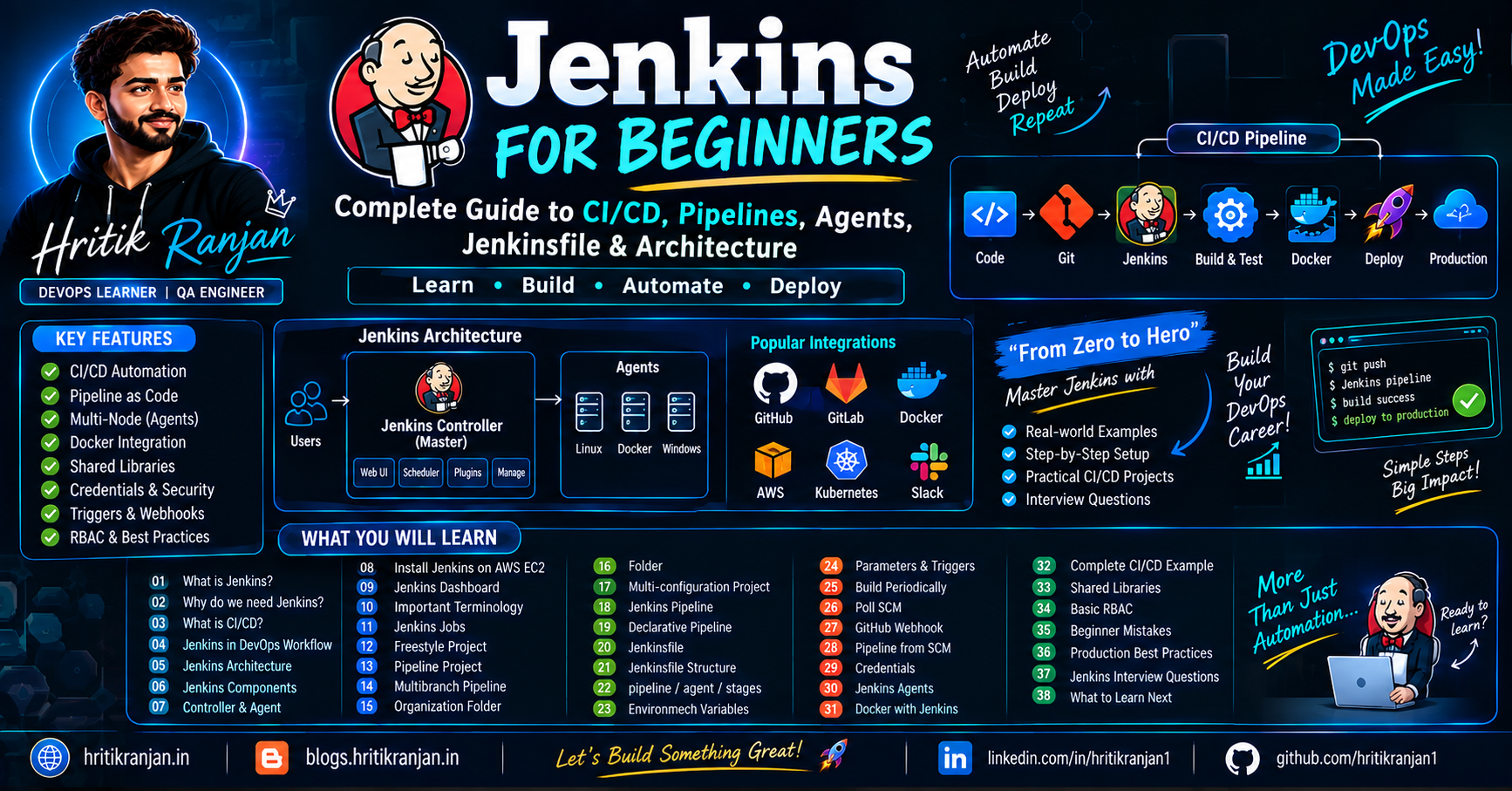

📘 AWS End-to-End Continuous Integration (CI) Project Using AWS CodePipeline & CodeBuild 🚀
🌟 Build a Production-Ready CI Pipeline on AWS with GitHub, Docker & CodeBuild Learn how to automate Docker image building, testing, and deployment whenever code is pushed to GitHub.

Table of Contents
1. Introduction
2. What is Continuous Integration?
3. Why Do We Need CI?
4. Traditional Deployment vs CI
5. Project Architecture
6. Prerequisites
7. Technologies Used
8. Project Folder Structure
9. Step 1 – Create GitHub Repository
10. Step 2 – Create Dockerfile
11. Step 3 – Create buildspec.yml
12. Step 4 – Store Secrets using AWS Parameter Store
13. Step 5 – Create IAM Role
14. Step 6 – Create AWS CodeBuild Project
15. Step 7 – Enable Privileged Mode
16. Step 8 – Build Docker Image
17. Step 9 – Push Image to Docker Hub
18. Step 10 – Create AWS CodePipeline
19. Step 11 – Connect GitHub
20. Step 12 – Trigger Automatic Build
21. Understanding buildspec.yml
22. Common Errors
23. Troubleshooting
24. Real World Workflow
25. Best Practices
26. Advantages
27. Limitations
28. Interview Questions
29. Conclusion

📘 Introduction
Modern software development requires developers to release new features quickly without breaking existing applications.
Imagine every developer manually:
Pulling code
Installing dependencies
Running tests
Building Docker images
Deploying applications
This process is:
❌ Slow
❌ Error-prone
❌ Time-consuming
❌ Difficult to maintain
To solve this problem, companies use Continuous Integration (CI).
CI automatically builds, tests, and validates the application whenever developers push code to GitHub.
In this project, we'll build an End-to-End CI Pipeline on AWS using CodePipeline and CodeBuild.
🚀 What You'll Build
Whenever a developer pushes code to GitHub,
AWS will automatically:
Developer

↓

GitHub Repository

↓

AWS CodePipeline

↓

AWS CodeBuild

↓

Install Dependencies

↓

Run Tests

↓

Build Docker Image

↓

Login to Docker Hub

↓

Push Docker Image

↓

Build Successful
No manual work is required.

💡 What is Continuous Integration?
Continuous Integration (CI) is a software development practice where developers frequently merge their code into a shared repository.
Every code push automatically triggers:
Code Compilation
Dependency Installation
Unit Testing
Code Validation
Docker Image Creation
This helps detect issues early.
Example
Without CI
Developer writes code
↓
Pushes to GitHub
↓
Another developer manually builds it
↓
Errors found after deployment
↓
Bug fixing becomes difficult
With CI
Developer pushes code
↓
Pipeline starts automatically
↓
Application builds
↓
Tests execute
↓
Docker image created
↓
Errors detected immediately
Why Use Continuous Integration?
CI helps teams:
Detect bugs early
Improve software quality
Reduce manual work
Save developer time
Increase deployment speed
Ensure every build is consistent
Traditional Workflow vs CI
| Traditional Deployment | Continuous Integration |
|---|---|
| Manual Build | Automatic Build |
| Manual Testing | Automated Testing |
| Manual Docker Build | Automated Docker Build |
| Manual Deployment | Pipeline Deployment |
| High Human Errors | Minimal Errors |
| Slow Releases | Fast Releases |

Technologies Used
| Service | Purpose |
|---|---|
| GitHub | Source Code Repository |
| AWS CodePipeline | Pipeline Orchestration |
| AWS CodeBuild | Build Application |
| Docker | Containerization |
| Docker Hub | Image Registry |
| Parameter Store | Store Secrets |
| IAM | Secure Permissions |
Project Architecture
                Developer

                     │

              Push Code

                     │

                 GitHub

                     │

             AWS CodePipeline

                     │

              AWS CodeBuild

                     │

        Install Dependencies

                     │

           Build Docker Image

                     │

     Login to Docker Hub

                     │

      Push Image to Docker Hub

                     │

          Build Successful
Prerequisites
Before starting, make sure you have:
AWS Account
GitHub Account
Docker Hub Account
Basic Docker Knowledge
Basic Git Knowledge
IAM Permissions
CodeBuild Access
CodePipeline Access

Step 1 — Create GitHub Repository
Create a repository.
Example
aws-ci-demo
Project contains
app.py

requirements.txt

Dockerfile

buildspec.yml
Push the repository to GitHub.
Step 2 — Create Dockerfile
Dockerfile tells Docker how to package your application.
Example
FROM python:3.11

WORKDIR /app

COPY . .

RUN pip install -r requirements.txt

CMD ["python","app.py"]
Step 3 — Create buildspec.yml
This is the most important file.
AWS CodeBuild executes every command written here.
Structure
version: 0.2

phases:

 install:

 pre_build:

 build:

 post_build:
Install Phase
Install required tools.
Example
install:

 runtime-versions:

   python: 3.11
Pre-Build Phase
Login to Docker Hub.
docker login
Build Phase
docker build
Creates Docker Image.
Post Build Phase
docker push
Uploads image to Docker Hub.
Step 4 — Store Secrets Securely
Never hardcode:
Docker Username

Docker Password

API Keys

Access Keys
Instead use
AWS Systems Manager
Parameter Store
Example
docker_username

docker_password
CodeBuild reads them securely.
Why Parameter Store?
Without Parameter Store
Password inside code

↓

Visible to everyone
With Parameter Store
Encrypted Password

↓

Retrieved during build

↓

Secure
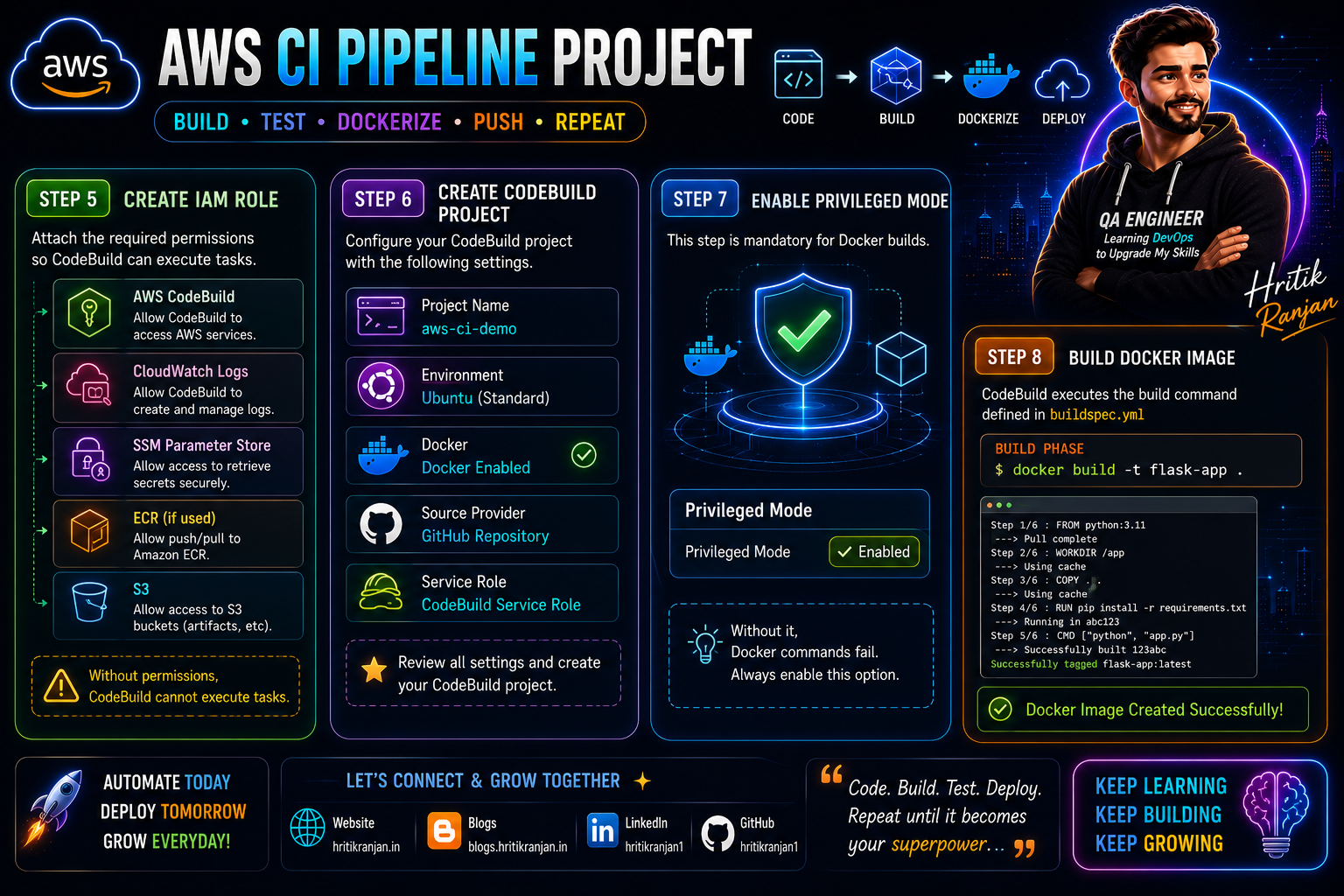
Step 5 — Create IAM Role
Attach permissions for
CodeBuild
CloudWatch Logs
SSM Parameter Store
ECR (if used)
S3
Without permissions CodeBuild cannot execute tasks.
Step 6 — Create CodeBuild Project
Configure
Project Name
Environment
Ubuntu
Docker Enabled
GitHub Repository
Service Role
Step 7 — Enable Privileged Mode
This step is mandatory.
Without it
Docker commands fail.
Enable
Privileged Mode

✓ Enabled
Step 8 — Build Docker Image
CodeBuild executes
docker build -t flask-app .
Docker creates application image.
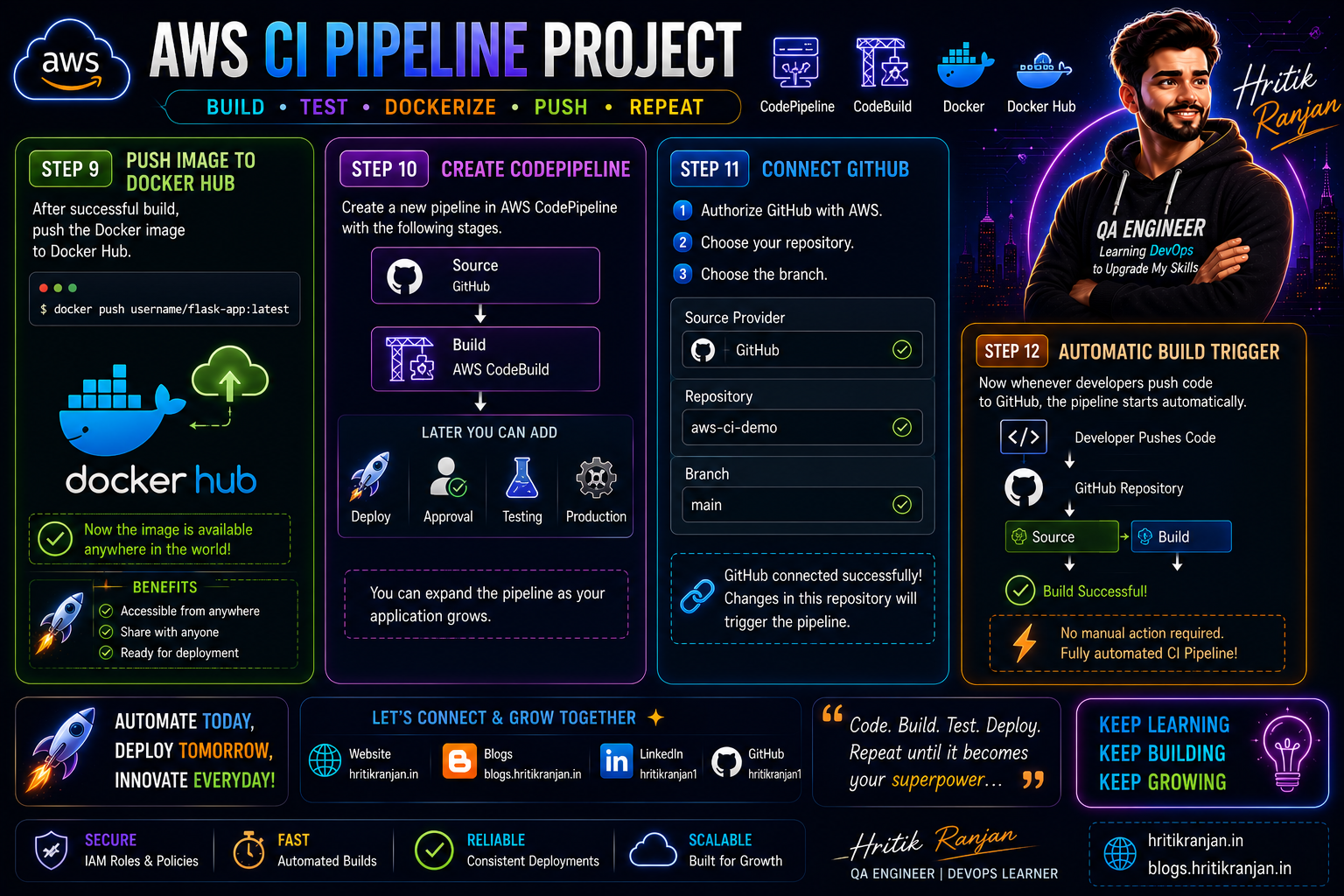
Step 9 — Push Image to Docker Hub
After successful build
docker push username/flask-app:latest
Now the image is available anywhere.
Step 10 — Create CodePipeline
Pipeline Stages
Source

↓

Build
Later you can add
Deploy
Approval
Testing
Production
Step 11 — Connect GitHub
Authorize GitHub.
Choose repository.
Choose branch.
Example
main
Step 12 — Automatic Build Trigger
Now whenever developers push code
Pipeline starts automatically.
No manual action required.
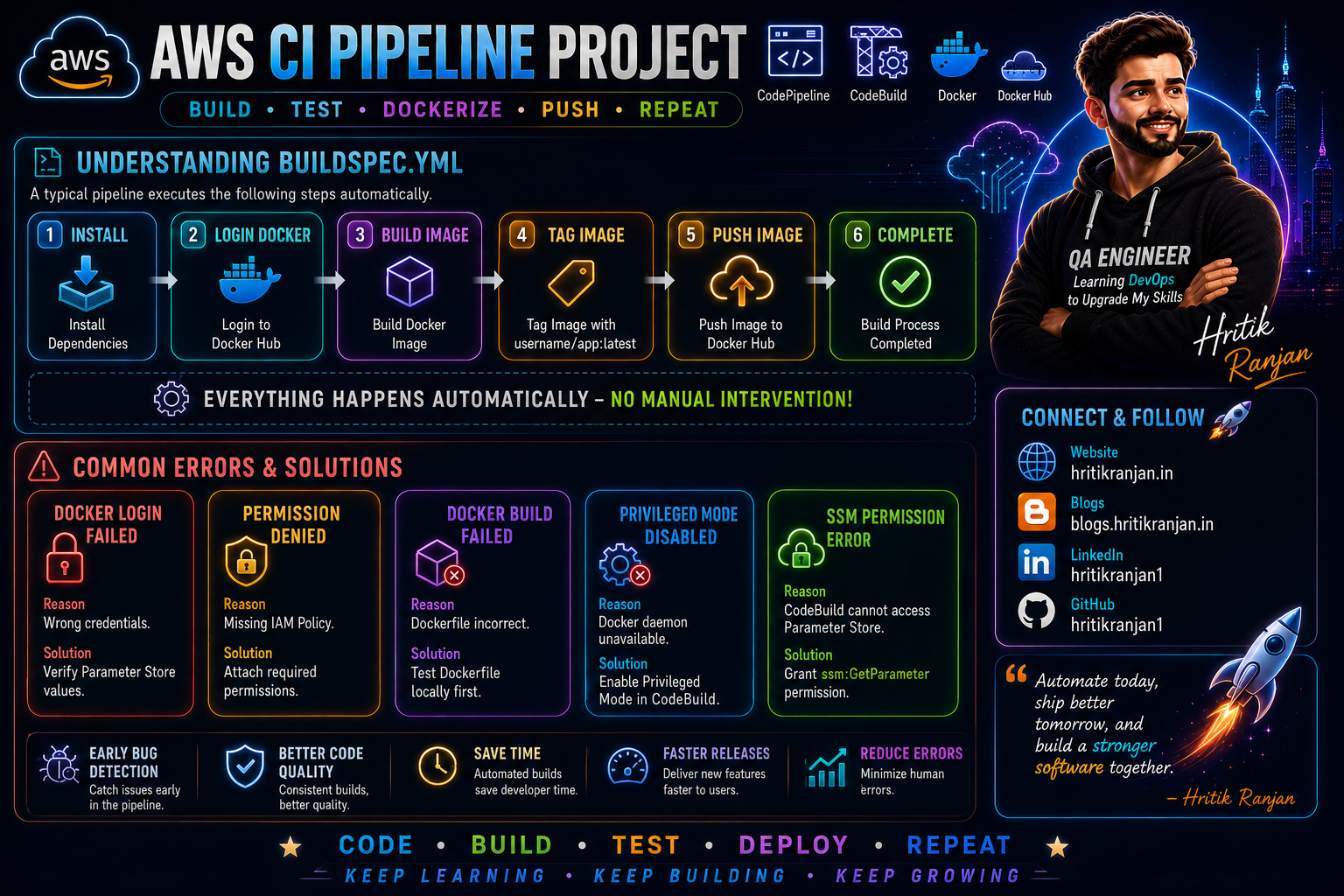
Understanding buildspec.yml
A typical pipeline executes
Install

↓

Login Docker

↓

Build Image

↓

Tag Image

↓

Push Image

↓

Complete
Everything happens automatically.
Common Errors
Docker Login Failed
Reason
Wrong credentials.
Solution
Verify Parameter Store values.
Permission Denied
Reason
Missing IAM Policy.
Solution
Attach required permissions.
Docker Build Failed
Reason
Dockerfile incorrect.
Solution
Test locally first.
Privileged Mode Disabled
Reason
Docker daemon unavailable.
Solution
Enable Privileged Mode.
SSM Permission Error
Reason
CodeBuild cannot access Parameter Store.
Solution
Grant
ssm:GetParameter
permission.
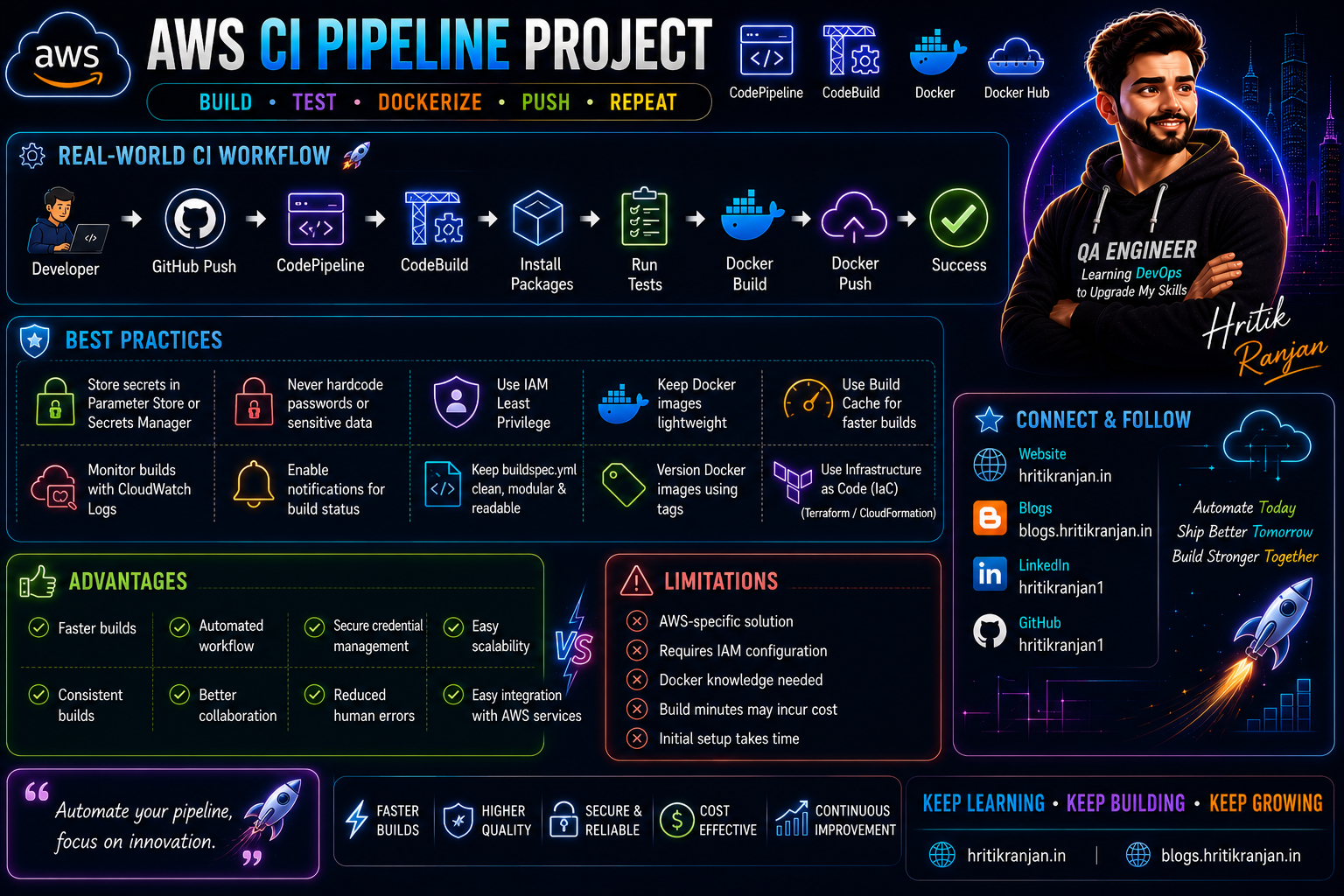
Real-World CI Workflow
Developer

↓

GitHub Push

↓

CodePipeline

↓

CodeBuild

↓

Install Packages

↓

Run Tests

↓

Docker Build

↓

Docker Push

↓

Success
Best Practices
Store secrets in Parameter Store or Secrets Manager
Never hardcode passwords
Use IAM Least Privilege
Keep Docker images lightweight
Use Build Cache
Monitor builds with CloudWatch
Enable notifications
Keep buildspec.yml clean
Version Docker images
Use Infrastructure as Code
Advantages
Faster builds
Automated workflow
Secure credential management
Easy scalability
Consistent builds
Better collaboration
Reduced human errors
Easy integration with AWS services
Limitations
AWS-specific solution
Requires IAM configuration
Docker knowledge needed
Build minutes may incur cost
Initial setup takes time
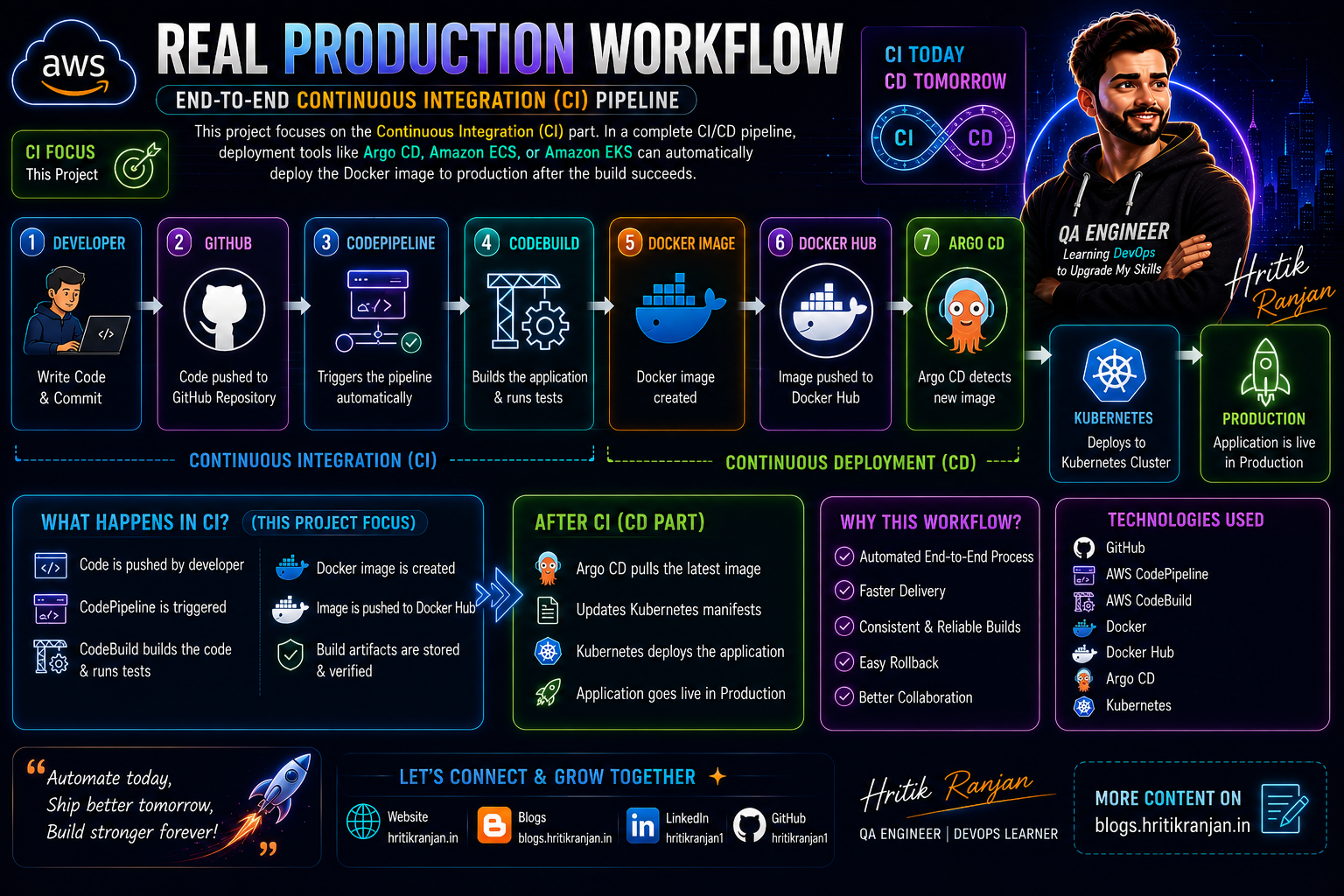
Real Production Workflow
Developer

↓

GitHub

↓

CodePipeline

↓

CodeBuild

↓

Docker Image

↓

Docker Hub

↓

ArgoCD

↓

Kubernetes

↓

Production
This project focuses on the Continuous Integration (CI) part. In a complete CI/CD pipeline, deployment tools like Argo CD, Amazon ECS, or Amazon EKS can automatically deploy the Docker image to production after the build succeeds.
Frequently Asked Interview Questions
Q1. What is AWS CodeBuild?
AWS CodeBuild is a fully managed build service that compiles source code, runs tests, builds Docker images, and produces deployable artifacts without requiring you to manage build servers.
Q2. What is AWS CodePipeline?
AWS CodePipeline is a CI/CD orchestration service that automates the flow from source code changes to build, test, and deployment stages.
Q3. What is buildspec.yml?
buildspec.yml is a YAML configuration file that defines the build commands and phases executed by AWS CodeBuild.
Q4. Why do we use Docker in CI?
Docker packages the application and its dependencies into a portable container, ensuring consistent behavior across development, testing, and production environments.
Q5. Why should secrets not be hardcoded?
Hardcoding secrets exposes sensitive information in the source code. Instead, use secure services like AWS Systems Manager Parameter Store or AWS Secrets Manager.
Q6. Why is Privileged Mode required in CodeBuild?
Privileged Mode enables Docker-in-Docker functionality, allowing CodeBuild to build and push Docker images.
Q7. What happens when code is pushed to GitHub?
GitHub triggers AWS CodePipeline, which starts CodeBuild. CodeBuild installs dependencies, builds the application, creates a Docker image, and pushes it to the configured registry.
Q8. What is the difference between CodeBuild and CodePipeline?
CodeBuild performs the build-related tasks (compile, test, package).
CodePipeline coordinates the entire CI/CD workflow by connecting source, build, test, approval, and deployment stages.
Q9. Where are Docker images stored?
Docker images can be stored in Docker Hub or Amazon Elastic Container Registry (Amazon ECR).
Q10. How do you troubleshoot a failed CodeBuild job?
Check the CloudWatch build logs, verify the buildspec.yml file, review IAM permissions, confirm Parameter Store access, and test the Docker build locally if necessary.
🚀 Continue Your Learning Journey
Thank you for taking the time to read this article.
Technology is evolving rapidly, and continuous learning is one of the most valuable investments you can make in your career. Whether you're exploring DevOps, Cloud Computing, Artificial Intelligence, Cybersecurity, Software Development, Data Science, or Career Growth, the resources below can help you deepen your knowledge and stay ahead in the industry.
🎓 Recommended Learning Platforms
🚀 Coursera
Learn from world-renowned universities and industry leaders including Google, IBM, Stanford, Microsoft, Meta, and many more.
✔ Professional Certificates ✔ Career-focused Learning Paths ✔ AI & Machine Learning Programs ✔ Cloud & DevOps Certifications ✔ Business & Leadership Courses
🔗 https://imp.i384100.net/k0KvbV
💻 Udemy
One of the largest online learning platforms with practical, hands-on courses covering:
✔ DevOps & Kubernetes ✔ Docker & Cloud Computing ✔ AWS, Azure & GCP ✔ Programming & Development ✔ Cybersecurity & Ethical Hacking
🔗 https://trk.udemy.com/MAL2MY
📊 DataCamp
A great platform for anyone interested in:
✔ Python Programming ✔ SQL & Databases ✔ Data Analytics ✔ Machine Learning ✔ Artificial Intelligence
Interactive learning paths and hands-on projects make it ideal for beginners and professionals alike.
🔗 https://datacamp.pxf.io/nX4kER
🎓 edX
Access high-quality courses and certifications from leading institutions such as:
✔ Harvard University ✔ MIT ✔ Berkeley ✔ Microsoft
Perfect for learners seeking university-level education online.
🎨 Domestika
Enhance your creative skills with courses on:
✔ Graphic Design ✔ Video Editing ✔ Animation ✔ Digital Marketing ✔ Content Creation
🔗 https://domestika.sjv.io/dynKAW
🛠️ Recommended Tools & Resources
🔥 AppSumo
Discover exclusive lifetime deals on:
✔ AI Tools ✔ Productivity Software ✔ Developer Utilities ✔ Marketing Platforms ✔ Business Applications
A must-have resource for developers, creators, freelancers, and entrepreneurs looking to save money while accessing premium tools.
🔗 https://appsumo.8odi.net/L04a33
🛒 Shopify
Looking to start an online business or launch an eCommerce store?
Shopify provides everything you need to build, manage, and scale an online business.
✔ Online Store Builder ✔ Payment Integration ✔ Inventory Management ✔ Marketing Tools
🔗 https://shopify.pxf.io/Vxv09k
🌐 WordPress, WooCommerce & Jetpack
Create professional websites, blogs, and online stores with one of the most trusted web ecosystems in the world.
Ideal for:
✔ Personal Blogs ✔ Portfolio Websites ✔ Business Websites ✔ eCommerce Stores
🔗 https://automattic.pxf.io/Z6vR5W
🌍 Language Learning Resources
🗣️ Preply
Learn English and other languages through personalized one-on-one tutoring sessions with experts from around the world.
🔗 https://preply.sjv.io/o4gBDY
📚 British Council English Online
Improve your professional communication skills and English fluency through structured learning programs.
🔗 https://englishonline.sjv.io/9VOGa4
🧠 Rosetta Stone
One of the most recognized language-learning platforms for immersive language acquisition.
🔗 https://aff.rosettastone.com/X4OyqG
🧪 Science & Educational Resources
🔬 MEL Science
Interactive science kits and educational experiences designed to make STEM learning engaging and practical.
🔗 https://imp.i328067.net/bk2beg
📖 Carson Dellosa Education
Educational materials and learning resources for students, teachers, and lifelong learners.
🔗 https://carsondellosaeducation.sjv.io/E0JbjW
❤️ Support My Work
Creating detailed technical content, tutorials, guides, and learning resources takes significant time and effort.
If you find my articles helpful and would like to support my work, you can do so through the following platforms:
⭐ Become a GitHub Sponsor
Support my open-source contributions, technical content, and community projects.
🔗 https://github.com/sponsors/hritikranjan1
☕ Buy Me a Chai
Enjoying my content? Consider buying me a chai and supporting future tutorials, guides, and educational resources.
🔗 https://www.chai4.me/hritikranjan
👨💻 Connect With Me
Hritik Ranjan
💡 AI Enthusiast ☁️ DevOps Learner 🔐 Cybersecurity Advocate 💻 Software Developer
Connect & Follow
🔗 GitHub: https://github.com/hritikranjan1
🔗 LinkedIn: https://linkedin.com/in/hritikranjan1
📢 Found This Article Helpful?
If this article added value to your learning journey:
✅ Share it with your network ✅ Bookmark it for future reference ✅ Follow for more DevOps, AI, Cloud, Cybersecurity, and Software Engineering content
Thank you for reading and being part of this learning journey.
Keep Learning. Keep Building. Keep Growing. 🚀
Conclusion
In this project, we built a complete Continuous Integration (CI) pipeline on AWS using GitHub, AWS CodePipeline, AWS CodeBuild, Docker, and AWS Systems Manager Parameter Store. The pipeline automatically builds and packages an application whenever code is pushed to GitHub, demonstrating a real-world DevOps workflow.
By completing this project, you've learned how to:
Automate application builds
Build and push Docker images
Secure credentials using Parameter Store
Configure AWS CodeBuild and CodePipeline
Debug common CI pipeline issues
Understand how production-grade CI workflows operate
This project provides a strong foundation for advanced CI/CD implementations. In the next step, you can extend this pipeline by integrating deployment tools such as AWS CodeDeploy, Amazon ECS, Amazon EKS, or Argo CD to achieve a complete end-to-end Continuous Delivery and GitOps workflow.
Happy Learning and Happy Building! 🚀
About the author
- 👋 Hi, I’m Hritik Ranjan — a B.Tech CSE student and a passionate tech enthusiast focused on Quality Engineering, AI/ML, Cybersecurity, and DevOps. 💡 I enjoy building and testing scalable, secure, and intelligent systems that solve real-world problems. My expertise and interests include: 🔹 Quality Assurance & Testing Hands-on experience in manual and automation testing using Selenium & Java, ensuring high-quality and reliable applications. 🔹 Artificial Intelligence & Machine Learning Exploring advanced algorithms and developing intelligent systems for practical use cases. 🔹 Cybersecurity Focused on vulnerability assessment, security testing, and system hardening. 🔹 Web Development Building responsive and user-friendly applications using modern technologies. 🔹 Data Science Analyzing complex data to extract actionable insights. 💼 Key Projects: 🚀 Blindness Detection System Applied computer vision techniques to detect blindness-related conditions. 🚀 AI-Powered Rail Madad Enhancement Developed an intelligent complaint management system to improve railway customer service. 🚀 Interactive Applications Built multiple projects like quiz apps, calculators, and productivity tools. 🌱 I’m continuously learning and improving my skills in DevOps, Cloud, and Automation to become a well-rounded engineer. 🤝 Open to collaborations, internships, and opportunities in QA, DevOps, AI/ML, and Cybersecurity. 📫 Let’s connect: hritikranjan1408@gmail.com
Comments
Join the discussionNo comments yet. Be the first to comment.
AWS for DevOps ☁️🚀
Learn AWS from a DevOps Engineer's perspective. This series covers AWS fundamentals, IAM, EC2, VPC, S3, Route 53, Load Balancers, Auto Scaling, CloudWatch, ECS, EKS, CI/CD, Infrastructure as Code, Monitoring, Security, and real-world DevOps projects using AWS.